In the previous blog we briefly touched on the point that the data an APM application/solution receives, be it historical or real-time streaming data, can be mapped to object models. These object models provide a conceptual representation of objects, their attributes, behaviours, and the relationships between them within your APM application.
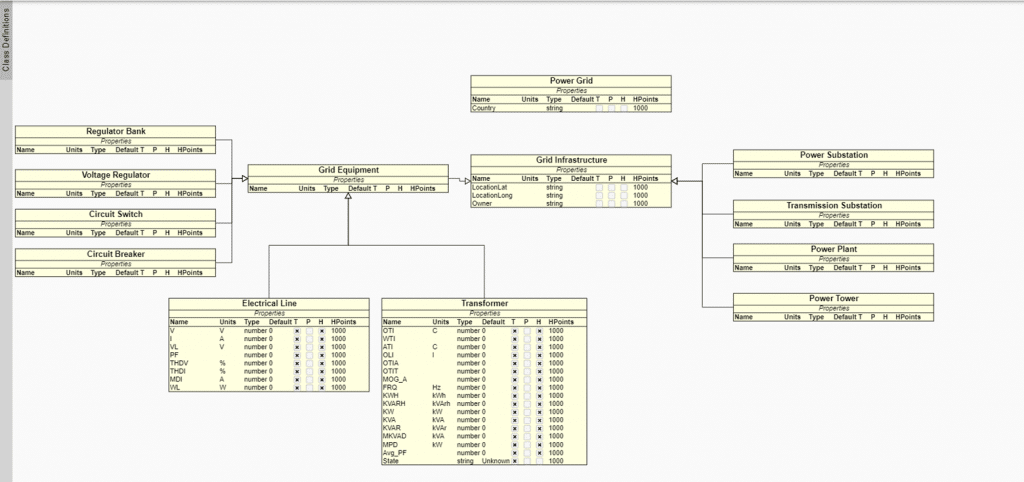
The definition of the objects that your application or solution needs to support is set-up in a graphical way (drag-drop-configure). It starts with the set-up of classes, blueprints for your objects, that define the attributes and inheritance of features/capabilities. In the screenshot below we see a class diagram for grid infrastructure of a specific customer application:
The classes define the attributes of the objects when instantiated. Objects are instances of classes, meaning they are created based on the structure and behaviour defined by the class. In the below example we see objects of the classes defined above and a selected Transformer with data ‘flowing’ into the APM application:
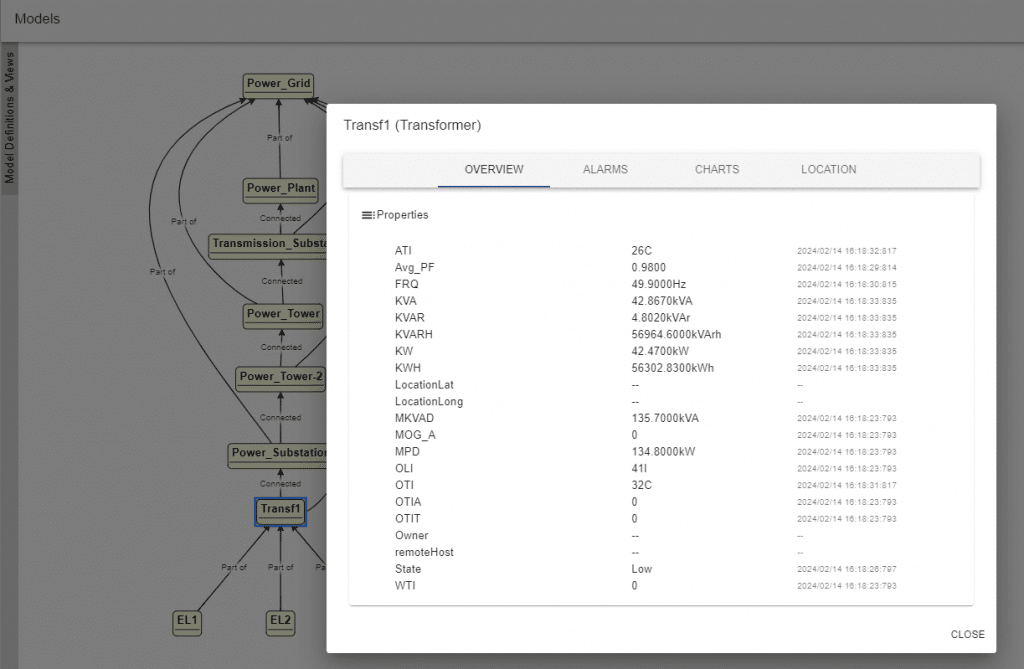
The classes define the attributes of the objects when instantiated. Objects are instances of classes, meaning they are created based on the structure and behaviour defined by the class. In the below example we see objects of the classes defined above and a selected Transformer with data ‘flowing’ into the APM application:
When creating an object model, it is sometimes useful to create relations between objects. For instance, the Transformer (Transf1) is part of a substation and the electrical lines (EL1, EL2 and EL3) are connected to the Transformer.
In the Model Diagram we can represent these relations by creating graphical connections between the objects, this can be done manually or automatically. Important to note is that these relations can also be used elsewhere in APM Studio to access properties or states of related objects in scripts and rules. But in addition, to accessing properties, behaviour and say example risk failure models for the asset you can also access the object (or combination of objects) for HMI/UI reasons:
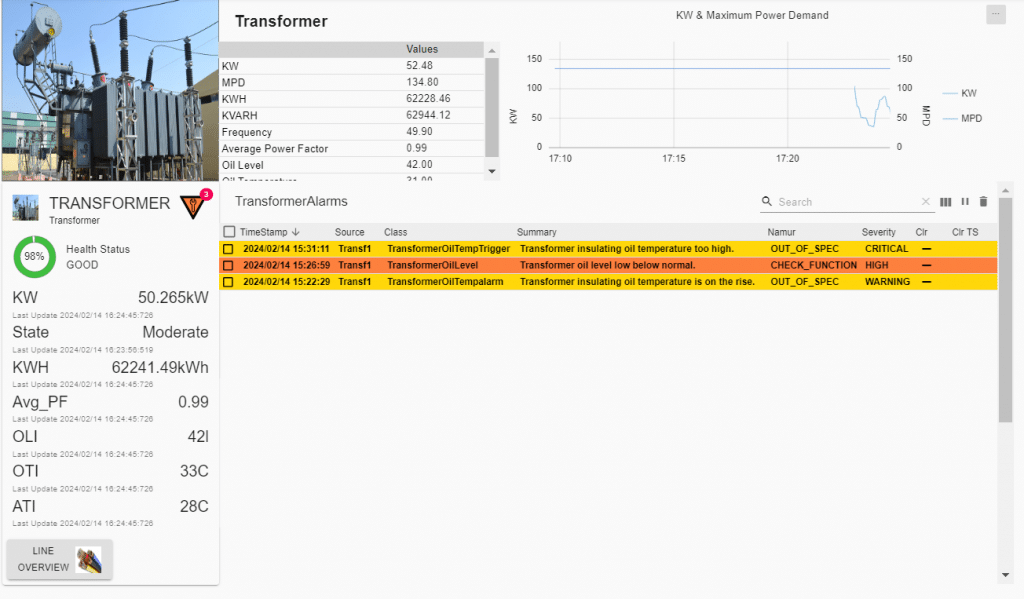 Earlier we mentioned that objects can be created manually or automatically. Automatic object creation is typically the modus operandi for larger applications where the asset base in in the 100s or 1000s.
Another good reason to create the object model dynamically is when the external system you connect to has a well described and query-able model definition. An example of this is the Endress&Hauser Netilion system. It provides a meta model that describes the objects and relationships in Netilion:
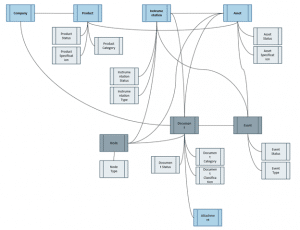 This in turn is understood by APM Studio and translated to an object model fed with the data available for the assets in Netilion. It is connect-and-go with APM Studio in this case as no set-up is required to start with your application!
See https://developer.netilion.endress.com/support/datamodel for an example data model and more information on Netilion.
APM Software E-book
Download our e-book to learn what UReason can do for you and discover the unique functionalities of our next-gen APM software.
APM Software E-book
Download our e-book to learn what UReason can do for you and discover the unique functionalities of our next-gen APM software.